August 10, 2026 • Margot Vellacourt • 10 min reading time • Prices verified June 4, 2026
App Reliability, Wi-Fi Headaches, and Weight Tracking: What Owners Actually Get
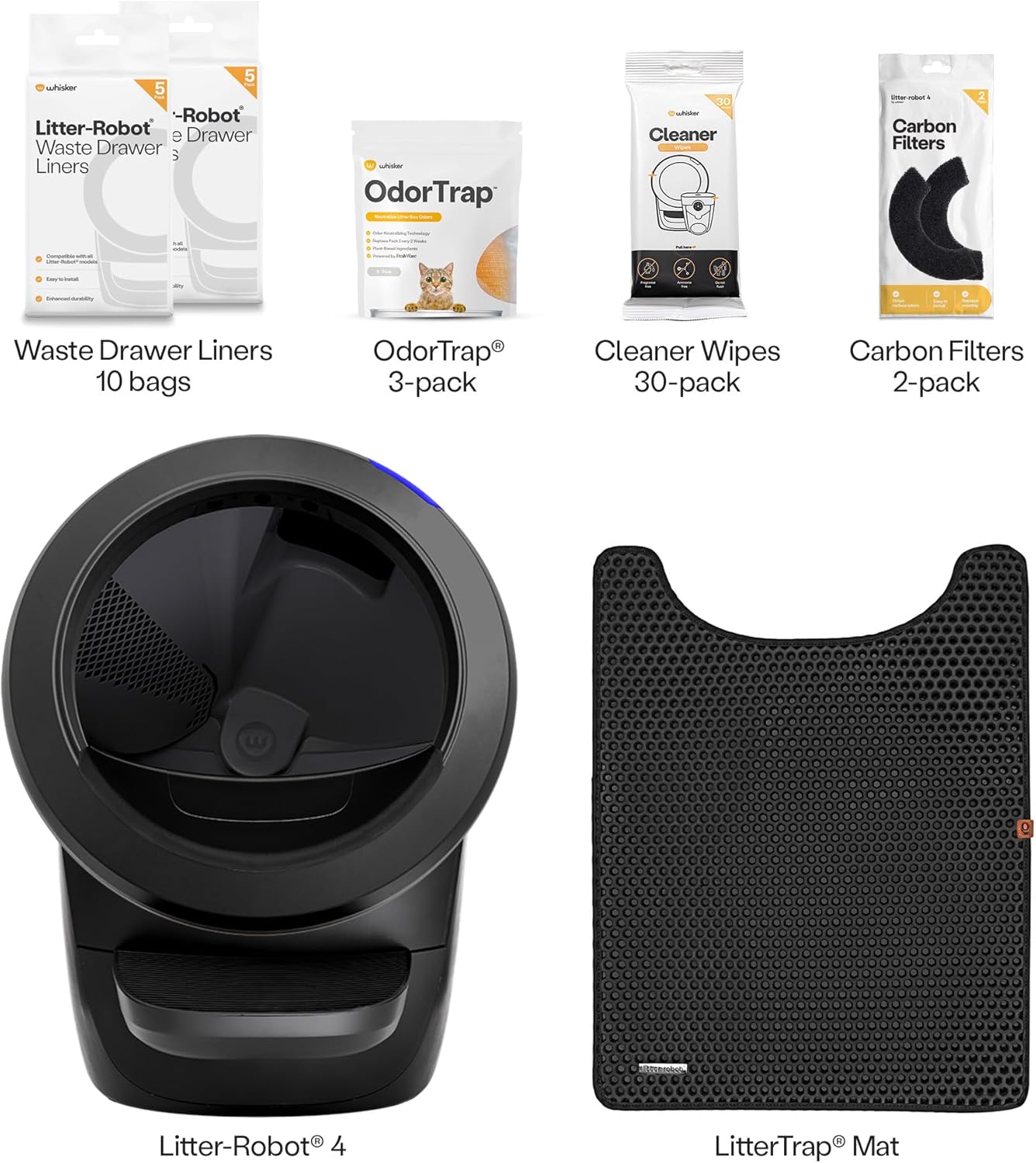
If you’ve looked at a self-cleaning litter box in the last year, you’ve probably noticed the pitch has changed. It’s no longer just “the box cleans itself.” Now every brand wants to tell you their app monitors your cat’s health. Weight readings, visit counts, waste-level alerts — the marketing copy sounds like a wearable fitness tracker for your cat. That’s exciting if it works. But if you’ve spent any time in the owner forums or scrolled through review pages, you already know the gap between the promise and the reality can be wide enough to park a car in. This article is about that gap: specifically, what app connectivity looks like day-to-day, when weight tracking produces information a vet will actually care about, and which units fail at the software layer before the hardware ever gives out. We’ll use real owner patterns to draw the lines — and give you a clear decision rule at the end.
Why App Connectivity Breaks (and It’s Usually Not Your Router)
Here’s the thing most product listings won’t tell you: nearly every smart litter box on the market today operates exclusively on the 2.4 GHz Wi-Fi band — the older, slower frequency — not the faster 5 GHz band your phone probably prefers. When your phone automatically connects to 5 GHz and the litter box is sitting on 2.4 GHz, the app can’t find the device even though both are technically “on Wi-Fi.” This is the single most common source of setup frustration, and it trips up even technically confident buyers.
The fix sounds simple — split your router’s bands into separate SSIDs (network names), temporarily connect your phone to the 2.4 GHz one, complete setup, then switch back. In practice, most people have never done this, and ISP-provided routers often don’t make it obvious. If you’re buying in 2026 and your router doesn’t let you separate the bands, you may need a firmware update or a new access point before any of these devices pair reliably.
Beyond band mismatch, reviewers across multiple platforms consistently flag two other culprits:
-
Server-side app instability. This is the brand’s problem, not yours. Several apps have shipped updates that broke existing connections without warning. The PetSafe SmartSpin is a documented case: multiple owners in aggregated review threads report the app simply never reached a functional state, with one reviewer explicitly naming the app failure as the primary reason for regretting the purchase. That’s not a Wi-Fi problem — that’s a product quality problem.
-
Distance and interference. A unit sitting inside a bathroom cabinet or laundry room with concrete walls between it and the router will struggle regardless of brand. If your planned install location is more than two rooms from your router, budget for a Wi-Fi extender or a mesh node in that area.
The Spruce Pets’ 2025 roundup of self-cleaning litter boxes notes that setup complexity is one of the most common pain points in long-term owner satisfaction — and that the brands with dedicated support lines (rather than just FAQ pages) tend to recover customer trust faster when connectivity issues arise.
Weight Tracking: When It’s Actually Useful vs. When It’s Theater
Weight tracking in a self-cleaning litter box works by embedding a scale — technically a load cell — in the unit’s base. Every time a cat steps in, the system logs the weight and timestamps the visit. Over weeks, you get a trend line.
The honest numbers:
| Data type | Typical accuracy | Vet-useful threshold |
|---|---|---|
| Weight (single reading) | ±0.1–0.3 lbs on most units | Trend over 2+ weeks |
| Visit frequency | High (within 1–2 visits/day) | Baseline + deviation |
| Waste bin fill % | Moderate — algorithm-estimated | Informational only |
The key word in that table is trend. A single weigh-in on a litter box scale is not a clinical measurement. The cat might have just eaten, or might be crouching differently than yesterday. But two weeks of daily readings showing a 0.4-pound decline in a cat that normally holds steady? That’s a data point worth taking seriously, and it’s the kind of thing that’s easy to miss without a tracking system.
This is not hypothetical. Owners of the Petcove system have specifically documented using its weight tracking to monitor a diabetic cat’s condition over time — cross-referencing the trend data with glucose management. PetMD’s overview of at-home cat health monitoring confirms that weight trend monitoring is one of the highest-yield home observations owners can make for cats with metabolic conditions, because appetite changes manifest in weight before they become visible behaviorally.
PETKIT PuraMax 2 owners consistently praise quick app connection and note the weight data as one of the features they return to most. The pattern in aggregated reviews: owners who have the app working from day one tend to use the health features. Owners who spend the first week troubleshooting connectivity tend to abandon the health dashboard entirely, even after the connection stabilizes.
The UPFAS system offers an instructive data point on multi-cat households: at least one documented owner purchased a second unit specifically to have one per cat cluster, with weight and usage tracking cited as the reason for that investment. This suggests the data has compounding value — a single box in a three-cat home gives you aggregate visit counts, but a box per cat gives you individual health baselines. That’s a meaningful architectural difference in how you use the data.
When Health Features Don’t Survive the Hardware
CATLINK markets AI waste analysis and health monitoring prominently. The pitch is that its system goes beyond basic use-count logging to identify patterns that might indicate digestive issues. As a concept, that’s genuinely interesting — iheartcats.com’s piece on automatic litter box health tracking notes that waste frequency and consistency changes can be early indicators of conditions ranging from UTIs to kidney disease.
The catch is obvious once you look at the failure patterns: at least one owner who purchased a CATLINK unit and discarded it after roughly ten weeks makes no mention of the health features ever providing value. The unit failed mechanically first. When a product fails before its use case can materialize, the feature set is irrelevant — and the AI health analysis framing becomes pure marketing loss. Hardware reliability is the prerequisite for software value. If a unit can’t survive past the 90-day mark, its health-monitoring dashboard is a liability, not a selling point.
This is the core practitioner heuristic: evaluate the app features only after you’ve stress-tested the owner community for hardware failure rates. A brilliant health dashboard on an unreliable mechanism is worse than a basic counter on a unit that runs for three years, because you’ll lose the historical baseline data when the unit dies.
Apartment Therapy’s review roundup consistently finds that units in the sub-$200 range have higher mechanical failure rates in year one than mid-range units ($300–$500), and that app feature depth in budget units rarely survives long enough to justify the investment in learning the interface.
The Multi-Cat Accuracy Problem
Here’s a question that sounds simple until you think about it: if three cats use the same box, how does the app know which cat it’s logging?
The short answer is: it usually doesn’t, at least not automatically. Most units log weight and derive a probable cat identity by comparing the reading to previously established weight profiles. If your cats differ significantly in size — say, a 7-pound Siamese and a 13-pound Maine Coon — the system can usually distinguish them. If you have three cats all between 9 and 11 pounds, the system may misattribute visits frequently.
The practical implication: in a multi-cat household with similarly-sized cats, use-count data is more reliable than individual weight attribution. You can trust “this box was used 14 times yesterday” far more than you can trust “Mittens specifically used it 6 times.” The UPFAS owner who bought a second unit per cat cluster was solving exactly this problem — spatial separation is more reliable than algorithmic separation.
If individual health tracking matters to you (and for a diabetic, hyperthyroid, or CKD cat, it genuinely does), the cleanest solution is still a dedicated box per cat.
What the Waste-Bin Percentage Actually Means
Most app dashboards show a waste-bin fill percentage. Owners frequently report this number feels unreliable — the app says 60% full, they open it and find it needs emptying now. Or vice versa.
The fill percentage is an estimate derived from cycle count and average waste volume per cycle, not a live sensor reading of the actual bin level. The algorithm works well under average conditions but drifts when:
- Your cat’s waste volume is larger or smaller than the model assumes
- You have multiple cats with different usage patterns
- Litter clumping efficiency varies by humidity or litter type
The practical rule: treat the fill percentage as a rough guide with a two-day buffer. If it reads 80%, empty it today. If it reads 40%, check it anyway when you’re nearby. The percentage is useful for setting a maintenance rhythm — it’s not a precise instrument.
Frequently Asked Questions
Why won’t my automatic litter box connect to Wi-Fi even though my phone connects fine? Almost certainly a 2.4 GHz vs. 5 GHz band mismatch. Your phone connects to 5 GHz; the litter box only supports 2.4 GHz. Temporarily connect your phone to your router’s 2.4 GHz network during setup. Once paired, your phone can return to 5 GHz.
Does weight tracking actually give me data useful enough to share with my vet? Trend data over two or more weeks is genuinely useful, especially for cats with metabolic conditions like diabetes, hyperthyroidism, or kidney disease. PetMD confirms weight trend monitoring is a high-yield home observation for these cats. A single reading is not a clinical measurement — a two-week trend is.
Can I still use the litter box manually if the app stops working or my Wi-Fi goes down? Yes, in almost every unit currently on the market. The self-cleaning mechanism has physical controls — usually a button on the unit itself — and continues to operate on its auto-clean schedule even without app connectivity. The app is a monitoring and control layer, not a dependency for basic function.
How accurate is the use-count tracking when I have three cats all using the same box? Use-count (total visits) is reliably accurate. Individual cat attribution is unreliable unless your cats have meaningfully different weights. For three cats of similar size, expect miscategorization. The aggregate visit count is the trustworthy number.
Is the CATLINK AI health analysis feature meaningfully different from basic use-count logging? In concept, yes — it aims to identify waste pattern deviations that might signal digestive issues. In practice, owner reports suggest the feature’s value is unproven in the field, and hardware reliability issues in some units mean many owners never accumulate enough data for the AI model to generate actionable output.
What does it mean when the app shows a waste-bin percentage — how do I know when to actually empty it? The percentage is an algorithm estimate, not a live sensor. Treat it as a rough guide. A displayed 80% means empty it now; don’t wait for 100%. Build a weekly visual check into your routine regardless of what the app shows.
The Decision Rule
If app health features are central to why you’re buying — specifically because you have a cat with a diagnosed condition and need longitudinal weight data — prioritize units with the strongest owner-reported app stability over units with the most sophisticated feature sets. A simpler, reliable dashboard beats a brilliant one that disconnects every three days.
If you have three or more cats of similar size, a second unit pays for itself in data quality, not just convenience.
If you’re evaluating a unit and can’t find owner reports confirming the app worked out of the box within 48 hours, treat that as a hardware-tier risk signal — not just a software inconvenience.
The best health monitor is the one that’s still running in month fourteen.