July 24, 2026 • Margot Vellacourt • 11 min reading time • Prices verified June 4, 2026
The Self-Cleaning Litter Box Setup Failure Files: What Goes Wrong in the First 30 Days
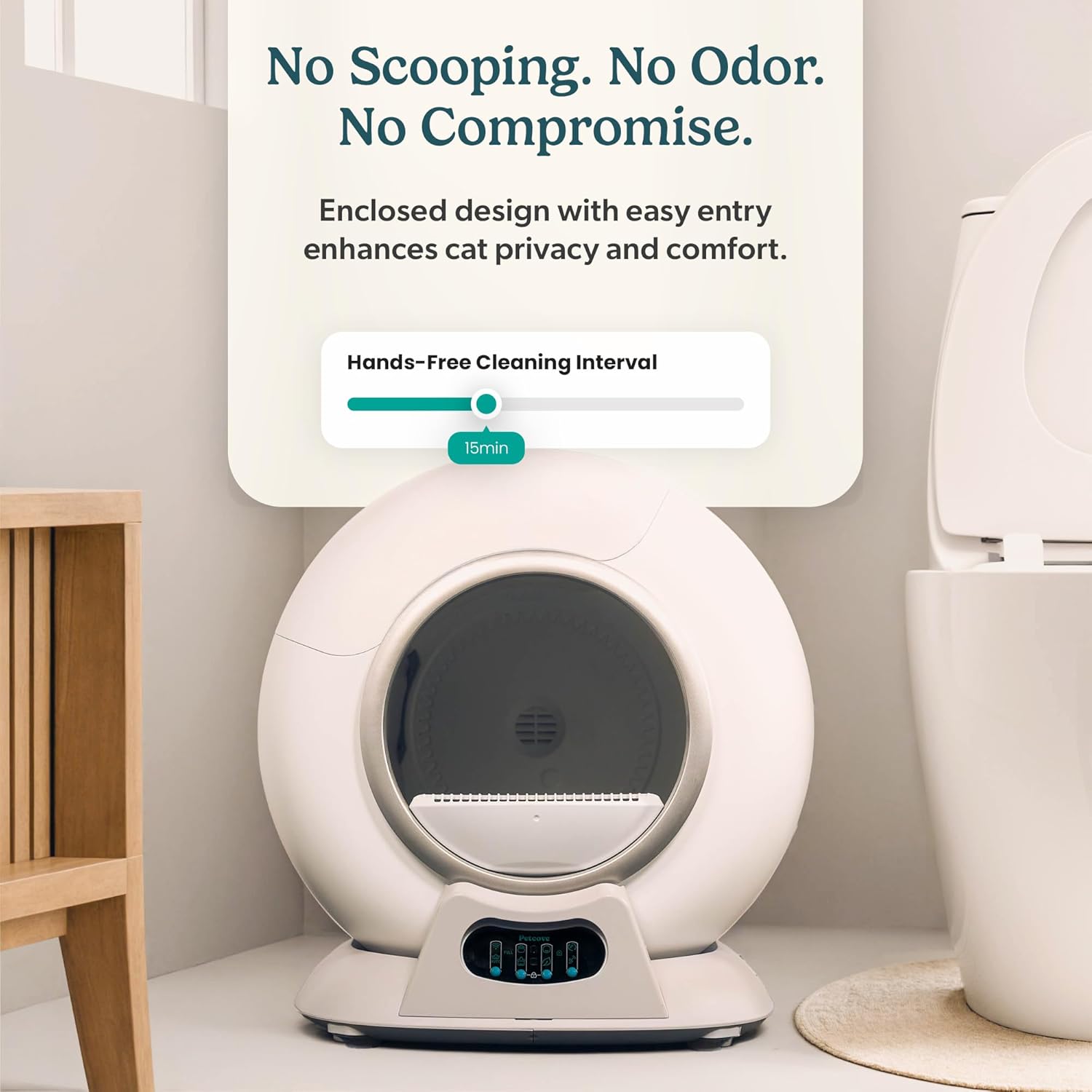
If you’ve ever bought a self-cleaning litter box — one of those automated units that scoops, rotates, or rakes waste on its own so you don’t have to — you probably expected setup to be the easy part. Unbox it, add litter, plug it in, and let the machine handle the rest. For a lot of owners, that’s more or less how it goes. But across hundreds of verified buyer reviews, a surprisingly consistent pattern emerges: the majority of returns, warranty claims, and one-star reviews trace back to the first 30 days, and most of them are caused by things that aren’t actually broken. Sensor dust. Wrong Wi-Fi band. The wrong litter. A cat that needs two more weeks to trust the machine. This article is a forensic look at what goes wrong early — organized by failure type — so you can recognize the symptoms, diagnose fast, and know when a real defect is actually in front of you.
| EDITOR'S PICKNeakasa M1 Plus Open-Top Self-C… | Mid-tierPetcove Automatic Self Cleaning… | Budget pickFumoi Automatic Cat Litter Box… | |
|---|---|---|---|
| App control | — | ✓ | ✓ |
| Odor control | ✓ | ✓ | — |
| Litter mat incl. | ✓ | — | — |
| Bag rolls incl. | 2 | — | 2 |
| Open top | ✓ | — | — |
| Price | $449.99 | $359.99 | $199.96 |
| See on Amazon → | See on Amazon → | See on Amazon → |
Failure Type 1: Sensor Errors That Aren’t Hardware Failures
This is the single most common complaint across budget and mid-range units, and the one most likely to trigger an unnecessary return.
Self-cleaning litter boxes use sensors — usually infrared, weight-based, or both — to detect when a cat has entered and exited before triggering a cleaning cycle. When these sensors misfire, the unit either refuses to run, runs constantly, or throws an error code that looks alarming. Owners reading that error code assume the unit is defective. Often, it isn’t.
The mechanism is simple: litter dust coats the sensor surface during the first few uses, especially with fine-grain clumping litters. The sensor reads the dust layer as an obstruction or a residual presence, halting the cycle. Reviewers of the Fumoi automatic litter box, aggregated across multiple retail platforms, specifically called out two sensor bars positioned above the waste bin that collect dust rapidly and need wiping within the first week. The fix — a dry microfiber cloth across the sensor face — resolved the issue in nearly every documented case. The same pattern shows up in reviews of globe-style units and rake-style units alike.
What to do in the first 72 hours: After the initial fill and first two or three cycles, open the unit and visually inspect any sensor windows, IR bars, or weight-plate edges. Wipe them clean before you assume a fault. If the error persists after cleaning, then you’re looking at a potential hardware issue worth escalating.
The Spruce Pets’ buyer’s guide on self-cleaning litter boxes notes that sensor sensitivity calibration — including the impact of litter type on detection accuracy — is one of the most underreported variables in early-ownership failures.
Failure Type 2: App Connectivity Problems That Have a One-Line Fix
If you bought a Wi-Fi-enabled unit — the Litter-Robot 4, the PETKIT PURA X or PURA MAX, or any other app-connected box — you may have hit a wall during setup where the app simply refuses to pair. The unit blinks, the app spins, and nothing connects. This feels like a firmware problem. In many cases it’s a network routing problem, and a specific one.
Most smart home devices, including automated litter boxes, communicate over 2.4GHz Wi-Fi. Modern home routers default to 5GHz or broadcast both bands under a single network name. When your phone is connected to the 5GHz band during setup, the pairing handshake fails because the device is listening on a different frequency.
The fix: before running setup, manually connect your phone to your router’s 2.4GHz network (it may be labeled separately, or you may need to split the bands in your router settings). Then run the app pairing sequence. In most cases, this resolves the issue immediately.
There’s a less-known variation of this problem specific to units manufactured for global markets and sold in North America. A reviewer of the Furbulous automatic litter box traced persistent connectivity failures — including dropped connections and app sync errors that persisted for weeks — to a server region setting buried in the app’s configuration menu. The unit defaulted to a China-based server. Once the reviewer switched to a US server in the app settings, every connectivity issue resolved. This is the kind of thing that never appears in the quick-start guide and sends owners down rabbit holes of router resets and firmware reinstalls.
Quick checklist for connectivity failures:
- Phone on 2.4GHz during initial pairing? ✓
- App region/server set to match your geography? ✓
- Router firewall blocking IoT devices? (Check if other smart home devices pair normally)
- App fully updated before pairing attempt? ✓
Apartment Therapy’s coverage of app-connected litter boxes consistently identifies Wi-Fi band mismatch as the leading cause of pairing failures in the first setup session.
Failure Type 3: Litter Choice and the Sticking Problem
Not all litters work in all machines. This isn’t a fine-print caveat — it’s a real operational variable that affects cleaning performance within the first few weeks and becomes a serious problem by month two or three.
By the numbers:
- Globe/drum-style units (Litter-Robot series, PETKIT PURA X): clumping clay litter, 3–4mm granule size, works best
- Rake-style units: clumping clay or crystal litter, but crystal trays are incompatible with clumping litters
- Crystal tray units (ScoopFree Classic, ScoopFree Ultra): silica crystal litter only — clumping litter will jam the rake and void performance
The crystal tray failure mode deserves a direct call-out. The PetSafe ScoopFree Crystal Classic received documented one-star reviews specifically because liquid waste — particularly diarrhea — overwhelms the silica crystal system on the first cycle. Crystals absorb liquid gradually; they’re not designed to handle high-volume liquid waste events. If you have a cat with a sensitive stomach, a senior cat on medication, or any history of soft stool, a crystal tray system is a high-risk purchase regardless of price tier. This isn’t a defect. It’s the system working as designed, encountering a use case it was never built for.
The sticking-clump failure is different and subtler. A PetPivot owner documented a situation where, after three months of reliable performance, clumps began adhering to the litter bed rather than separating cleanly. The owner traced it to a single-spot urination habit — one cat, same corner, every time — which saturated that section of the litter bed and created a compacted, wet layer that the mechanism couldn’t separate. Customer service replaced a component (the litter bed insert) under warranty. The lesson: single-spot urination in a multi-cat household, or a dominant cat that claims one corner, will concentrate saturation in a way that distributed use doesn’t. Rotating the unit 45 degrees periodically, or topping off litter more frequently in the early weeks, can prevent this from developing.
PetMD’s overview of litter box refusal behavior notes that litter texture is one of the primary variables in whether a cat will use a new box — a factor that applies equally to litter type selection and mechanical cleaning performance.
Failure Type 4: Cat Acclimation — When the Timeline Is the Problem
Companion Animal Psychology’s research on cat litter box behavior establishes clearly that cats are neophobic about litter box changes — new locations, new litter types, new box shapes all require adjustment periods. For automated units, the adjustment window is longer, because the machine moves and makes noise.
The realistic acclimation window for an automated litter box is 7 to 21 days. Some cats, particularly confident, food-motivated cats, will step in on day two. Others — especially anxious cats, cats over seven years old, or cats that came from shelter environments — may refuse for two to three weeks. Neither end of that range is a failure. It’s a range.
What owners consistently misread as rejection: a cat circling the unit, sniffing it repeatedly, but not entering. This is investigative behavior, not avoidance. It typically resolves on its own if the old litter box is not immediately removed. The standard protocol — keep both boxes accessible, gradually move the old box further away over 10–14 days, never force the cat into the new unit — is documented across The Spruce Pets’ litter box guides and is worth following exactly.
The 30-day return window most major retailers offer maps almost perfectly to the acclimation period. If your cat hasn’t accepted the new unit by day 25, you have approximately five days to decide. Don’t wait until day 29 to assess.
Failure Type 5: Documenting Defects Before the Window Closes
Real defects do happen. A Thereye automatic litter box owner documented a dumping defect — waste being deposited outside the waste bin — that appeared after approximately three weeks of ownership. By the time the problem was consistent enough to photograph clearly, the owner was just outside the standard return window.
The outcome: the owner submitted photos to the retailer and successfully obtained a return exception. The photos were the deciding factor.
This is not a guaranteed result, but it’s a reproducible strategy. The moment you notice something that might be a defect — a noise that changes character, a cycle that doesn’t complete, waste appearing where it shouldn’t — photograph it. Date-stamp the image. Note the cycle count or the date in the app log if your unit tracks it. If you’re within the return window, initiate a conversation with the retailer immediately even if you’re not sure you want to return it. Opening a ticket preserves your position. You can close it later.
Frequently Asked Questions
Why does my automatic litter box keep showing a sensor error even after I clean it? If cleaning the sensor face doesn’t resolve the error, check whether fine-particle litter dust has migrated behind or around the sensor housing — not just on the surface. Some units require a can of compressed air directed into the sensor recess. If the error persists across three or more cleaning attempts, contact manufacturer support with the specific error code; some codes indicate a sensor that needs recalibration or replacement, which is typically covered under warranty.
My cat won’t go near the new box — how long should I wait before intervening? Wait at least 14 days with both boxes accessible before concluding the cat has rejected the unit. At day 14, try placing a small amount of used litter from the old box into the new unit — familiar scent reduces novelty stress. PetMD’s behavior resources confirm scent transfer as the most effective single intervention for litter box refusal.
What litters are most likely to stick to the litter bed and cause cleaning failures? Fine-grain clumping clay that forms extremely hard clumps (often labeled “ultra-clumping” or “maximum odor control”) tends to adhere more aggressively when wet. Corn- and wheat-based litters are documented by owners to clump differently than clay and frequently cause mechanism jams in rotating-globe units. Silica crystal litter should never be used in a clumping-mechanism unit. Manufacturer-specified litter type is not a suggestion — it’s an operational requirement.
How do I get the app to connect when my phone is on 5GHz Wi-Fi? Temporarily connect your phone to your router’s 2.4GHz band before running the pairing sequence. If your router broadcasts both bands under the same network name (band steering), you may need to log into your router’s admin panel and create a separate 2.4GHz SSID temporarily. Once paired, the unit will maintain its connection and your phone can return to 5GHz.
What should I document if I think I have a defective unit? Photograph the defect from multiple angles with the date visible. Note the exact cycle or sequence when the issue appears. Save any app error logs or notifications. Check whether your unit’s app records a usage history — this timestamp data is useful if you need to demonstrate when a problem began relative to your purchase date. Contact the retailer and manufacturer simultaneously; don’t wait for one response before escalating to the other.
Is it normal for the box to run a cleaning cycle when no cat has used it? Most units run a scheduled maintenance cycle at set intervals regardless of use — this is normal and intentional. What’s not normal is a cycle triggered by a phantom weight reading or a false motion detection. If your unit cycles without any cat in the household being near it, clean the sensors first. If it continues, check whether the unit is on an uneven surface (weight sensors on a tilted platform can misread) and whether vibration from nearby appliances could be triggering motion sensors.
The decision frame, if you’re 30 days in and frustrated: Sensor errors that resolve with cleaning are not defects. Connectivity issues that resolve with a network fix are not defects. A cat that hasn’t committed yet is not a rejection. A real defect — mechanism failure, consistent waste misdeposit, persistent error that survives every cleaning and reset — should be photographed and escalated immediately. The 30-day window is not a buffer. It’s your active working period.